Your personal phone number is not required for a TikTok account. Instead of using your own SIM, use a MoreMins virtual number: a real, working number that can receive the SMS verification codes, so your personal number stays private. It also takes care of running a second or even a third account, since each one needs its own verification number.
Here is how to register your first account on a virtual number, make more TikTok accounts, and use a social login instead.
How to make a TikTok account with a virtual number
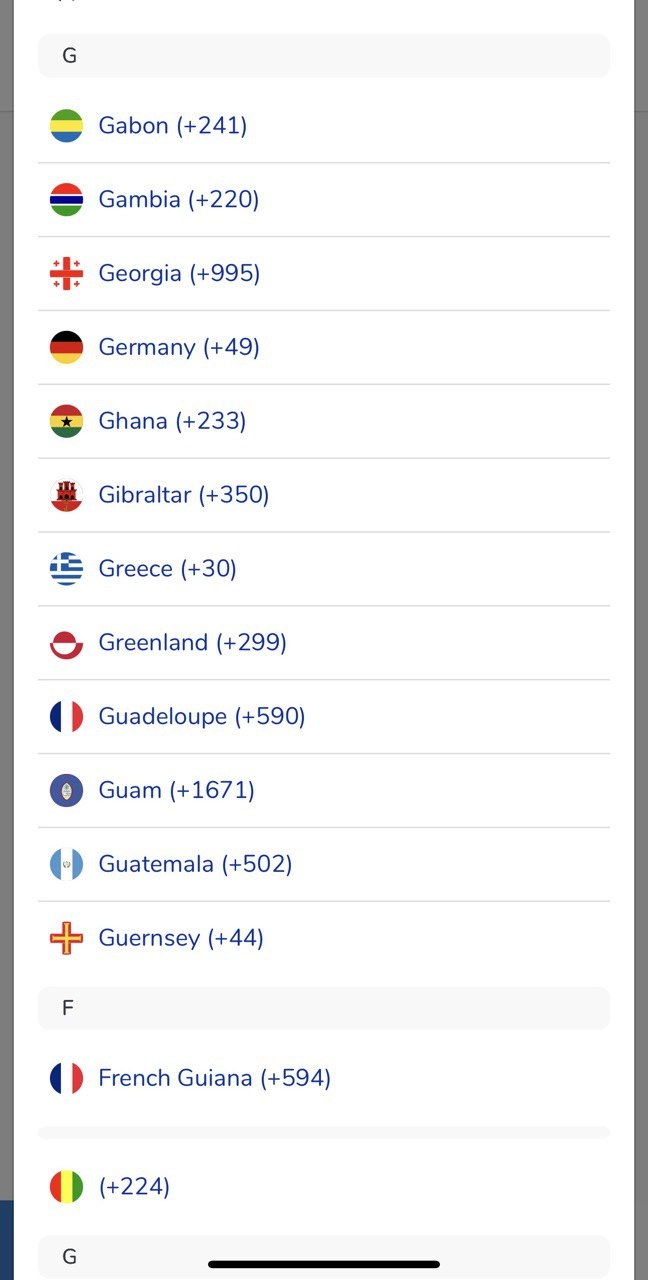
Creating your first TikTok account on a virtual number is the easiest way to register without using your private number. TikTok verifies it like any normal phone number and finishes the process in one step.
- Download and activate the MoreMins app, then choose a virtual number in any country. UK and US numbers connect you to a larger English-speaking audience, while an EU number takes you to local content in the region.
- Press 'Sign up' on TikTok, then tap 'Use phone or email' and select 'Phone'.
- Enter your date of birth, then tap 'Continue'.
- Select your country code and type in your MoreMins virtual number.
- TikTok sends a 6-digit verification code by SMS to your virtual number.
- Retrieve it from your MoreMins inbox and enter it in TikTok.
- Choose your username and profile picture.


How to make a second or additional TikTok account
Each TikTok account must have its own login, which is why you can't verify two separate TikTok accounts with the same phone number. Whatever the reason for multiple accounts (creator pages across many niches, an agency with several client accounts, or secondary accounts targeting different regions), each is verified with its own MoreMins virtual number. The country of your virtual number also sets the regional 'For You' feed that account starts on.
To add a second or third account, activate another MoreMins virtual number in the app for each one. Once your numbers are active, tap your profile, open the menu, and choose 'Add account', then 'Sign up', 'Use phone or email', and 'Phone', and enter the details as you did the first time. Finish by adding a unique username and a profile picture.
How to create a TikTok account with an Apple, Google, or Facebook login
If you create a TikTok account via a social login on your phone (Apple, Google, or Facebook), the account is linked to that social account, though some of TikTok's features might still ask for phone verification. In that case you can link a MoreMins virtual number to the account.
Tap 'Sign up', then choose 'Continue with Apple', 'Continue with Google', or 'Continue with Facebook'. A window pops up asking you to authorise TikTok. After that, enter your date of birth and accept the terms, then pick a username and continue; skip the phone step if the app offers 'Skip for now' or 'Add later'. Keep in mind a social login ties the account to that provider, so if you lose access to it, you lose your TikTok account too.
This is the simplest setup: verify each account on its own MoreMins virtual number, and your personal number never goes on TikTok. You can manage your accounts separately, and the country of each number gives you the audience targeting you want. The same numbers also let you receive SMS online for any other account you keep off your personal SIM.
FAQ
Can you have multiple TikTok accounts?
Yes. You can manage and switch between several TikTok accounts in one app. TikTok has no official maximum on how many accounts you log in and out of; the only requirement is that each account is verified with a unique phone number.
How do I add a second TikTok account?
You can add one from within the app. First, activate another MoreMins virtual number for it, since it needs its own unique verification number. Then tap your profile icon, open the menu, choose 'Add account', and sign up with the new number.
Can you use the same phone number for two TikTok accounts?
No. Each TikTok account can only be verified with a unique number, so a second account needs a different one. That is exactly what MoreMins virtual numbers are made for.
How many TikTok accounts can you have?
You can add and switch between several TikTok accounts in the app, with no official stated limit. Each account still has to be verified by its own MoreMins virtual number.
Why is my TikTok verification code not arriving?
SMS messages sometimes lag, so wait at least a minute before tapping resend. Check that the country code for your virtual number is correct and that you haven't requested too many codes too quickly. The code also lands in your MoreMins inbox, so you can grab it there.
Can I recover a TikTok account without the phone number?
If you linked a social login such as Google, Apple, or Facebook, try the 'Forgot password' option. Recovering an account tied to a number you've lost is much harder, so keeping a MoreMins virtual number active is a good backup.