MoreMins offers virtual numbers from over 50 countries. Most users choose UK virtual numbers - they are among the cheapest in the world. US, German and other European country numbers are also popular.
If you need a number for WhatsApp verification, you can use an online WhatsApp number.
This guide will show you how to get your virtual number in just a few minutes using the MoreMins app.
1. Download the MoreMins app
The app is free and available for both iPhone and Android phones. It has a 4.6 rating on the App Store.
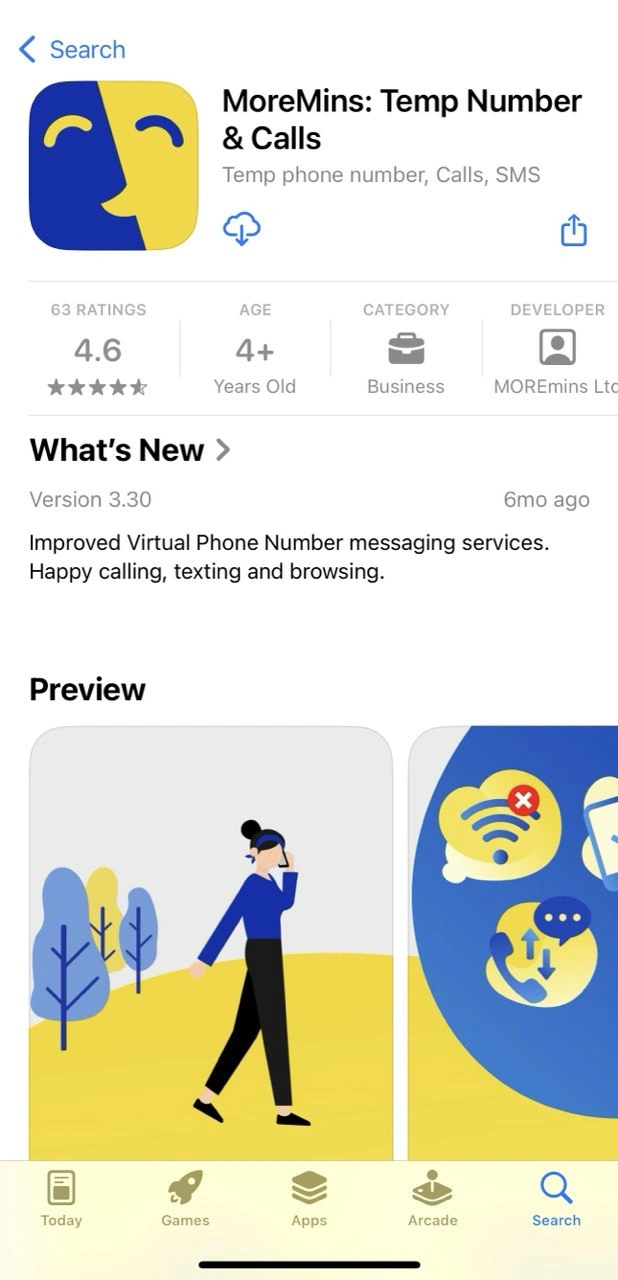


2. Register
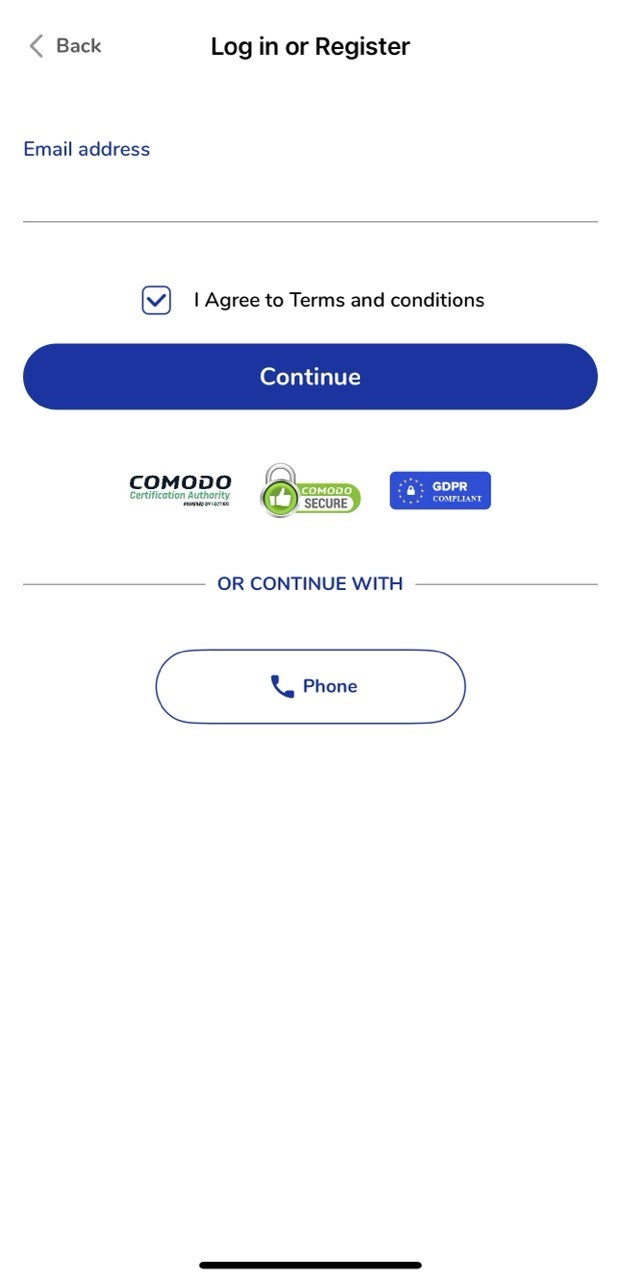
When you open the app, you'll see a welcome screen. Tap "Log in or Register" and enter your email address or phone number. Agree to the terms and tap "Continue".
MoreMins is Comodo certified and GDPR compliant - your data is safe.
3. Log in to your account
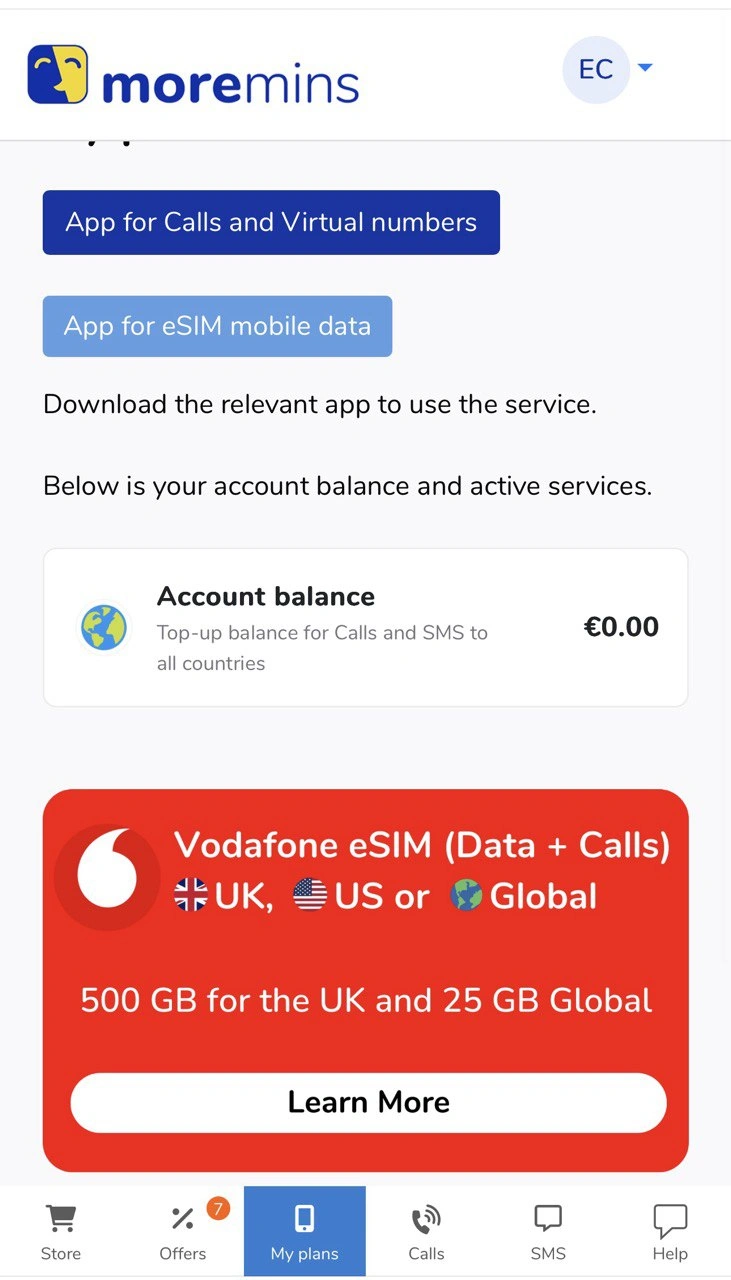
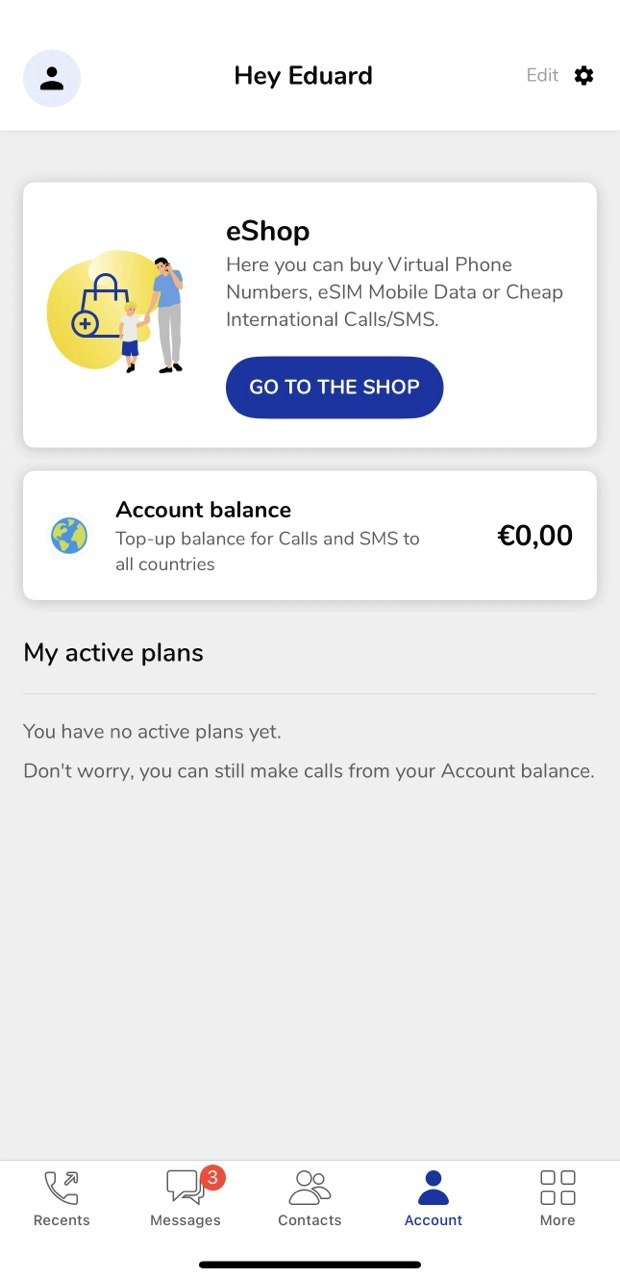
After registration, you'll enter your account. Here you can see your account balance and active plans. From here you can go to the store (eShop) and purchase a virtual number.
4. Select a country
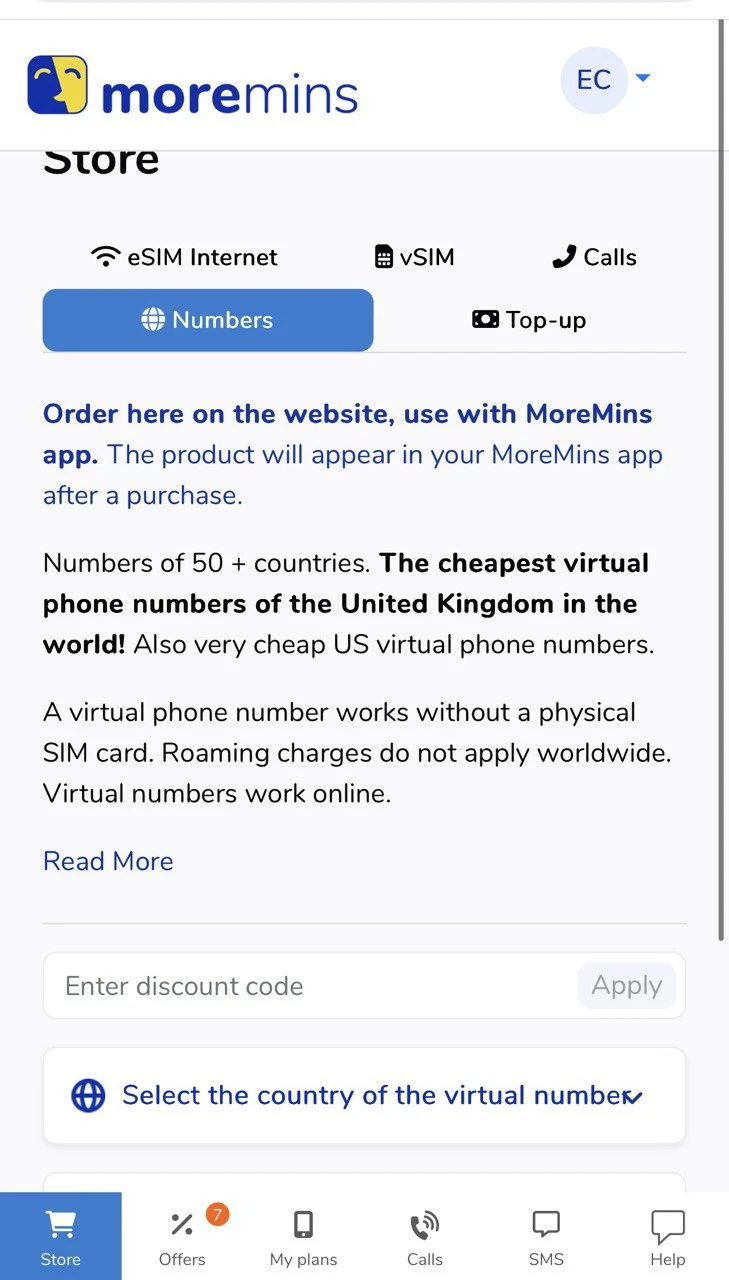
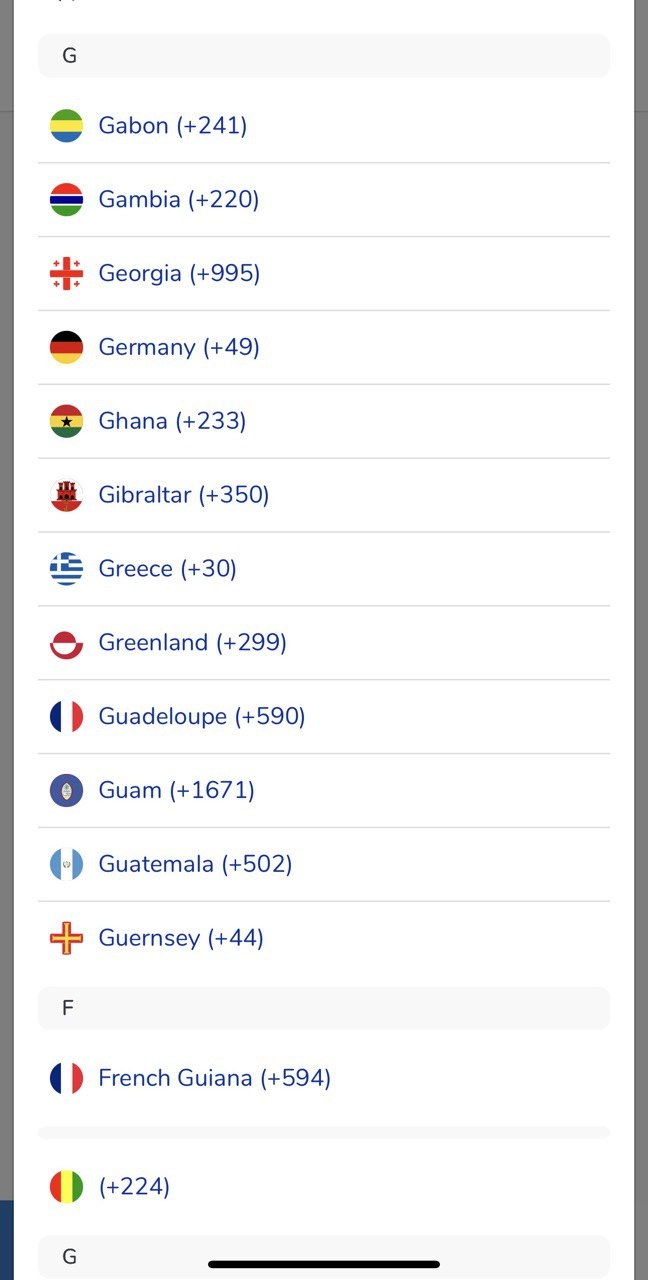
In the Store, select the "Numbers" tab and tap "Select the country of the virtual number". A list of countries will open - you can choose from Germany (+49), Greece (+30), United Kingdom (+44), USA and many others.
5. Top up your account
After selecting a country and number type, you'll see the price. If you have a discount code, enter it in the "Enter discount code" field. Pay and your virtual number will be activated within seconds.
6. Manage your numbers
All your active virtual numbers will be visible in the "My plans" section. From here you can monitor expiration dates, extend your plan or purchase additional numbers. You can have an unlimited number of virtual numbers from different countries in the MoreMins app.
Bonus: eSIM for travel
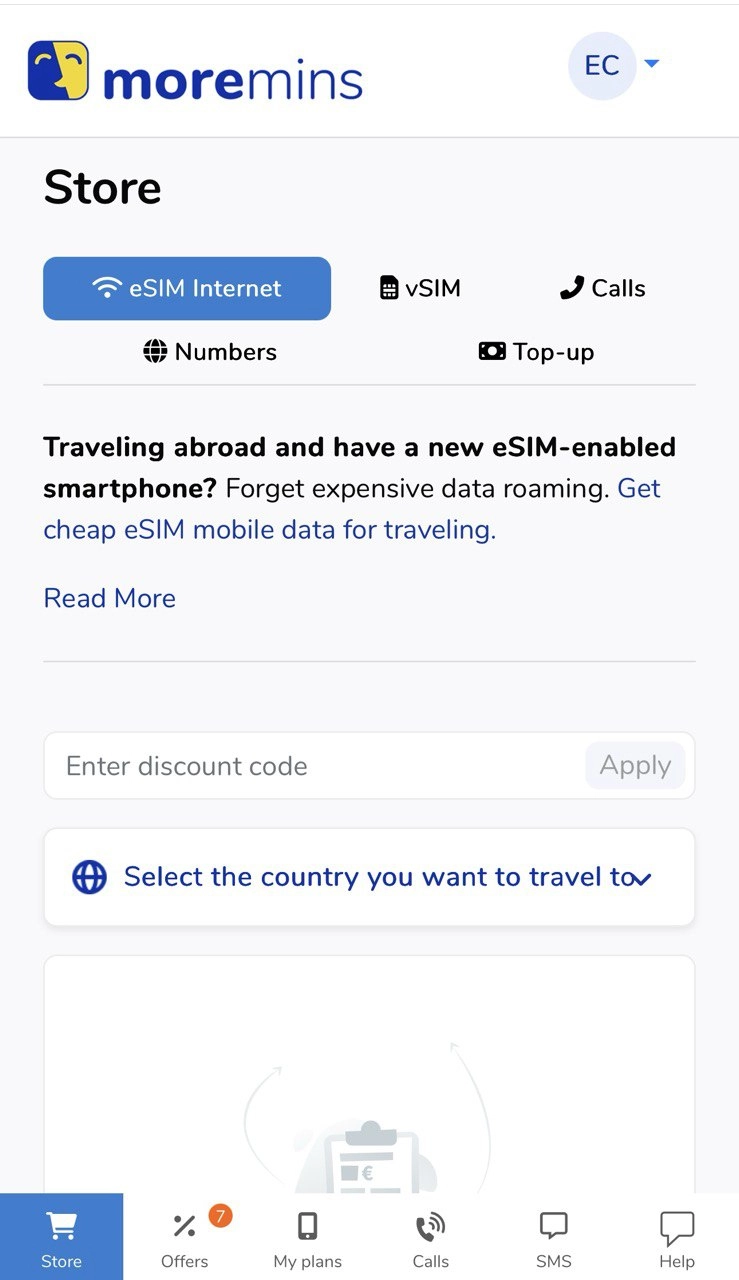
MoreMins also offers eSIM services - cheap mobile data for travel without roaming charges. In the Store section, select "eSIM Internet" and choose the country you're traveling to.
Frequently Asked Questions
What is a virtual phone number?
A virtual number is a real phone number that works over the internet rather than through a physical SIM card. You can make and receive calls, send and receive SMS - everything happens through an app on your smartphone.
How does a virtual phone number work?
A virtual number uses VoIP (Voice over Internet Protocol) technology. When someone calls your virtual number, the call is routed over the internet directly to your app. All you need is a stable Wi-Fi or mobile data connection.
How to get a virtual phone number?
Download the MoreMins app, register, choose your desired country, and pay. The whole process takes 2-3 minutes. Your virtual number is activated immediately after payment.
How can I get a virtual phone number for free?
The MoreMins app is free to download, but virtual numbers themselves are paid. Prices start from $0.99/month for a UK number - one of the cheapest rates on the market.
How to get a virtual business phone number?
MoreMins is perfect for business - you can have a professional number from any country where you work with clients. The most popular choice is a UK virtual number because it's the cheapest and widely recognized.
How many virtual numbers can I have?
You can have an unlimited number of virtual numbers from different countries in the MoreMins app. All of them will be managed in one app.
Are there roaming charges?
No. A virtual number works over the internet, so there are no roaming charges. You can use your number anywhere in the world where there's internet.
What's the difference between a virtual phone number and a Google Pay virtual card number?
These are completely different things. A virtual phone number is for calls and SMS, while a Google Pay virtual card is a payment method. MoreMins only provides virtual phone numbers.