How to Record a Phone Call on iPhone with the MoreMins App
Your landlord says on the phone that he'll have the boiler fixed by Friday free of charge. By Monday he has no memory of it. Next time you make a call with your iPhone put on speaker and start recording on your laptop so that you have evidence later on. Situation is far from ideal.
This page explains what iOS does, why call recording on iPhone is not available outside US, and how call recording is handled using a MoreMins virtual phone number on iPhone.
Get a Number with Call Recording
How call recording on iPhone works
Apple added a recorder to the Phone app in iOS 18.1, published on 28 October 2024 and mostly for the users in the US. Before then, iPhone had no call recorder at all, leaving the how to record a phone call on iPhone question unanswered from Apple. When the recorder begins recording, both halves of the phone call hear a spoken notice that recording is underway. That cannot be turned off. When you finish recording, recordings are saved to a folder called Call Recordings in the Notes app.
There's another problem: Apple's call recorder isn't available in the EU, or in many other countries, so quite a few iPhones will never offer the option. And, due to restrictions on iOS, it doesn't work at all with apps in the App Store to listen to a normal phone call, which is the reason that most recorder apps will insert a third line and merge it into a conference call with a recording service on the other end.
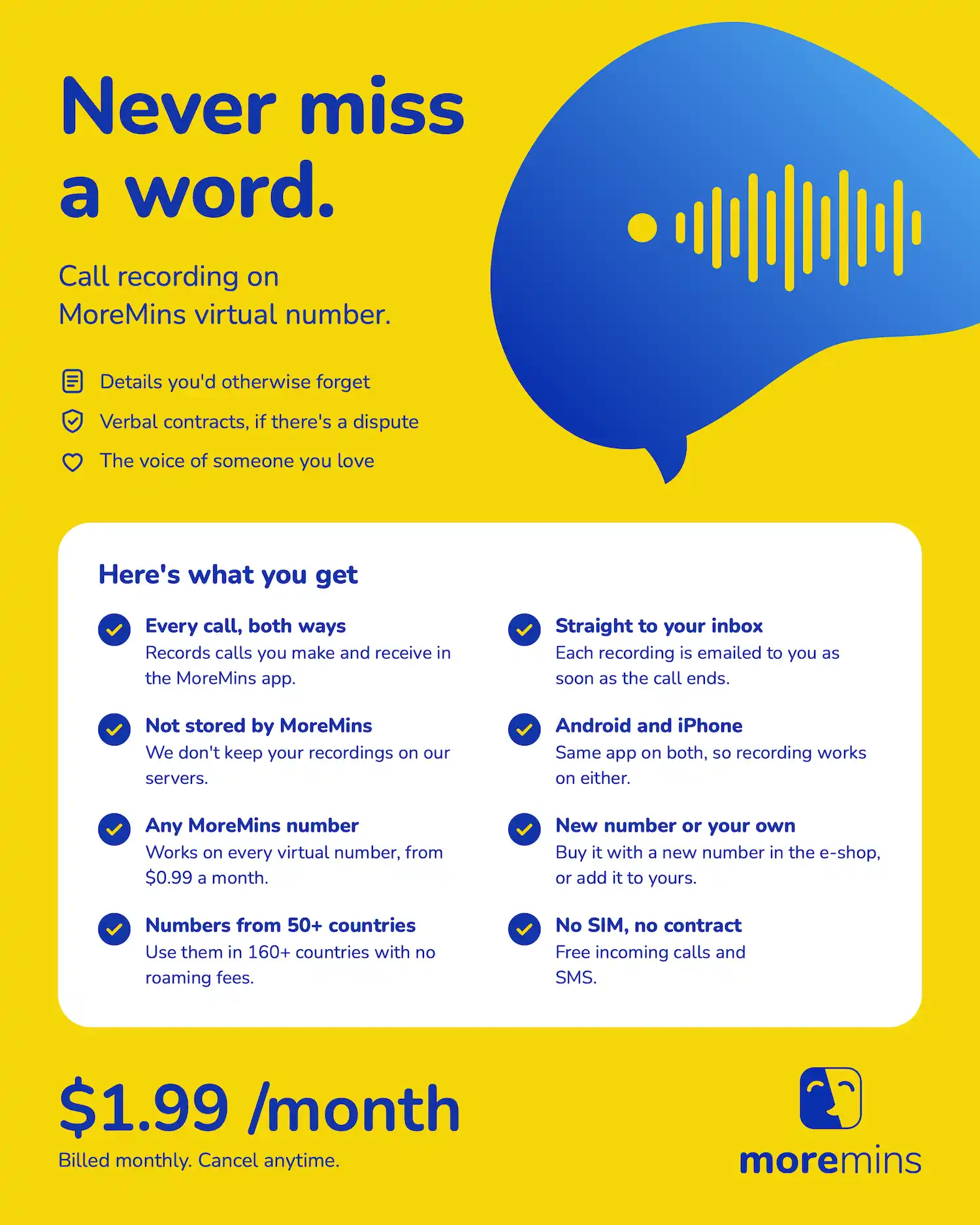
MoreMins does something completely different. Calls made or received on a MoreMins virtual phone number are recorded on the MoreMins side, on the number, not on your iPhone.
Apple's iOS restrictions mentioned above do not apply, and it works in any country, even those where Apple's own recorder is missing.
What you need to record calls on iPhone
Four things need to be set up before you can record calls on iPhone with MoreMins.
✅ First, is a MoreMins virtual phone number, priced from $0.99 a month.
✅ Second, is the call recording add-on at $1.99 a month, enabled for that number.
✅ Third, an iPhone with the free MoreMins app installed.
✅ Fourth, a working email address for when the recording goes to your inbox. The email address is important.
MoreMins does not store recordings anywhere else, so that email is the one and only copy that will be available, and it can take up to 30 minutes to arrive in your inbox after your call. Use an email account that you check regularly. The MoreMins app is free to download from the App Store, and you just sign in with the same email address you used to sign up to the MoreMins online shop.
How to record a phone call on iPhone, step by step
1. Choose a new number, or add call recording to an existing number. From the MoreMins online shop, select the country you want from 50+ possibilities, say UK or US, then request call recording on the same order. It's live from day one. If you already have a virtual number, login to your account and switch recording on for it. The number itself stays the same so you are not obliged to inform anyone.
2. Download the MoreMins app from the App Store. It's free and is the same app whether you add a number from scratch or add call recording to the one you had before. You can continue to use the Phone app as you always have. The virtual number, meanwhile, is stored within the MoreMins app so your calls are recorded in that app rather than on your SIM.
3. Login using the email address used in the online shop. The same one that runs your MoreMins account. You will find the number there and recording is switched on at the MoreMins side already.
4. Now you need to make the call from inside the app rather than in the iPhone's Phone app. Both ways are recorded so it makes no difference who rang whom. While you speak the recording is handled on the MoreMins side. Answering and hanging up work as usual.
5. Hang up and read your email. When you finish the call the recording is sent to the email address in your account and can take up to 30 minutes to arrive. There is no point in sitting there watching the inbox. When it lands, open the message and download the file straight away. That email is the only copy you will have.
Get a Number with Call Recording
Finding and keeping your recordings
MoreMins doesn't hold onto recordings, so think of that email differently. It's not a notification referencing a file somewhere else. It's the file. Download it on receipt and save it where you save your other documents, whether that's on a laptop or desktop machine or a thumb drive before you forget about it. If you haven't heard anything within half an hour, check your spam folder before you assume the phone call wasn't recorded.
No cloud archive backup means MoreMins doesn't have a copy of the recording. That's good news when it's a landlord call you'll never listen to again but it's less so if it's something that might prove useful in half a year's time. Save each recording email as the only original and file it on the day of receipt.
What call recording costs
Recording costs an extra $1.99 a month on top of the virtual number from $0.99 a month. Both charges are monthly, with no contract to sign, so you can break the commitment down into single months. That's worth saying out loud if you ever signed up for a two-year business phone deal for a feature you no longer needed.
Turning off the recording feature works the same way in the opposite direction. Once it's switched off you keep the virtual number and incoming calls still come to it but they are no longer recorded. Come the next time you need to document a call, either a new interview or different client, just turn on call recording for that number. You don't need to let anyone know of a new number or have the app reinstalled on the iPhone which is key if you only need call recording on occasion.
Is it legal to record a call on iPhone?
That all depends, on both the location that you're sitting in and the location you're making the call to. Recording a call for your own use is fine, and the vast majority of countries will allow this. The one thing that may make a difference is consent, is it enough that one of you is aware? If so, you're OK, at least in the eyes of one-party consent countries. All-party consent countries require everyone to agree before you press record. Wikipedia maintains a list of phone call recording laws by country, just in case you're planning an important phone call. If there's any doubt, let everyone know you're recording.
Recording calls on iPhone: frequently asked questions
Yes, from 28 October 2024, when iOS 18.1 was released. Both users hear a recorded announcement that call recording is in progress, which can't be turned off; call recordings are stored to the Call Recordings folder in Notes; and call recording isn't available in the European Union.
Yes, on the MoreMins number. Calls to and from your MoreMins number are both recorded; the call file is sent by email after the call ends; calls to your 'normal' SIM number are not.
In your email inbox, on your email address attached to your MoreMins number, within 30 minutes of the end of a call. Check your email spam box if your call recording email is not in your inbox.
MoreMins call recording costs $1.99 per month, in addition to a virtual number from $0.99 per month, with monthly billing and no contract. Turn off call recording and you will keep your virtual number. Turn it on again next time you need it.